Set the rule once
Incentives is Walmart lowering an item's referral fee, or paying part of its discount, on items its models recommend, so the shopper pays less. I designed how a seller enrolls those items: from the list, one or many at a time, and at scale with one rule, the minimum payout they accept. It's live in Seller Center.
Walmart · 2024–25 · Live in Seller Center
Project sheet
- Senior Product Designer
- 1 PM, distributed engineering, data science
- Shipped
I designed the flows end to end. I set the goals with the PM and owned the architecture, the flows, the tests, and the design and content reviews. I also presented the work to Walmart's product and design leadership.
- Problem
- Walmart's models keep recommending items for incentives, and each one changes what the seller is paid. A seller needs to see what each costs and enroll many at once. With thousands of items, even that doesn't keep up.
- Decision
- Two ways in. From the Eligible list, one item or many at once, each with its price threshold and fee. At scale, one rule, the minimum payout the seller accepts, and Walmart enrolls every eligible item that meets it.
- Result
- Live in Walmart's Seller Center. It was built to get eligible items enrolled; the figures are Walmart's.
Every item has a price
Walmart's recommendation models pick items for incentives: a lower referral fee, or a discount Walmart pays for. Before saying yes, a seller needs to know what each one costs them: the price the item has to stay under, and the fee it gets. And new recommendations keep arriving. A seller with a handful of items can go through the list. A seller with thousands needs to answer a different question: how much of the payout they're willing to give up.
North starA seller should decide once how much of the payout they'll give up, and let Walmart enroll what fits.
Enrolling items, usable
Enroll items in Incentives from the Eligible list, then find them on Enrolled.
Tick items in the table, then use the bar at the bottom, or the button below. Each row also has its own Enroll.
Twelve eligible items, each with the price it has to stay under and the fee it gets.









Auto-enrollment, clickable
Let Walmart enroll the eligible items that keep at least 88.75% of their payout, then turn it off and keep what's enrolled.
Click the highlighted button on the screen, or the button below, to go to the next step.
Step 1 of 8
Items can be enrolled from the list, as above. Manage incentives opens the settings for the whole program.
From the list, one or many
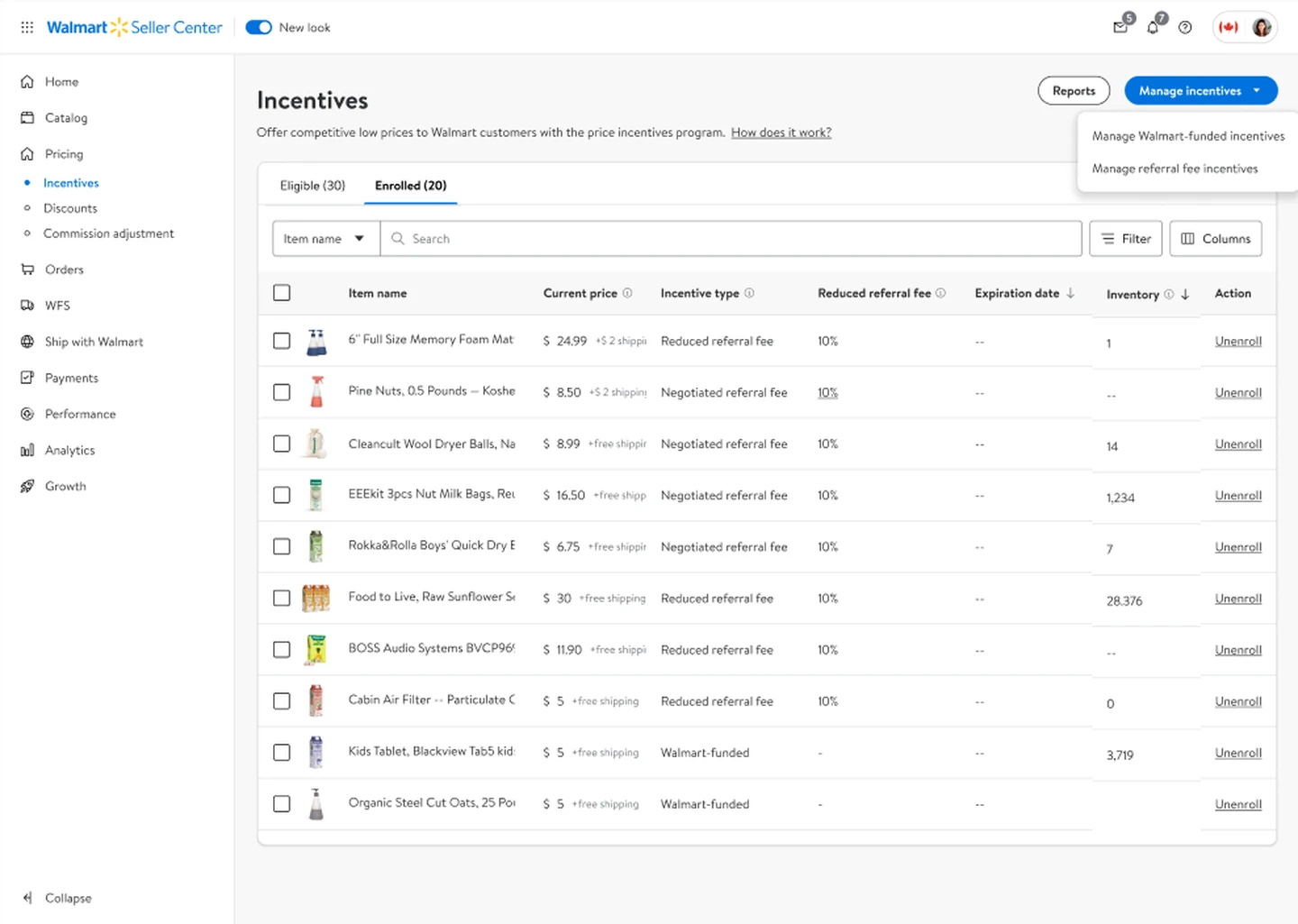
The Incentives page opens on the eligible items, each with the price it has to stay under, the fee it gets and when the offer ends. Every row has its own Enroll, and ticking several brings up a bar that enrolls them all at once. Enrolled items move to their own tab, where each can be unenrolled from its row.
At scale, a rule
Manage incentives opens a page for the whole program. One switch turns on auto-enrollment, and one rule decides what gets in: enroll items that keep more than 95%, 90% or 85% of their payout, or a custom value. Walmart then enrolls every eligible item that meets it, today and as new ones are recommended.
The rule in the seller's terms
The options are payout percentages, the number a seller already watches, and a custom value shows the range allowed and the one recommended under the field.
Terms, once
The program's terms appear the first time a seller enrolls, and never again after they accept.
A time to expect
When it's on, the message says eligible items are enrolled within 4 hours, so the seller knows when to look.
Turning it off, on purpose
Turning auto-enrollment off asks one more question: keep the items already enrolled, or unenroll all of them. It also says it can only be turned back on after 12 hours.
- What it costs
- One more step to leave, and a wait to come back. Turning it off by accident could drop thousands of incentives at once, so the extra question is worth it.
Exceptions, by spreadsheet
A seller who wants to decide item by item generates a file of their items and marks each one Y or N. Then they upload it back, up to 100,000 items at a time. Every file stays listed with its status: processing, ready or error.
Notifications, turned on in place
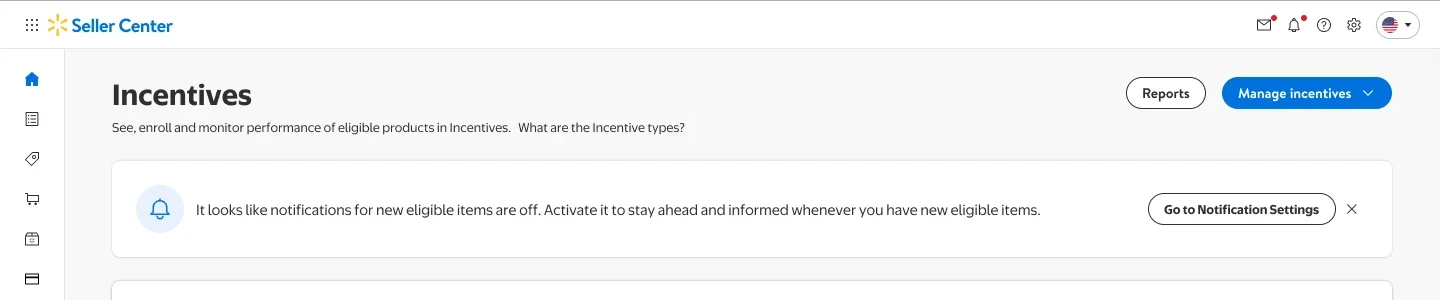
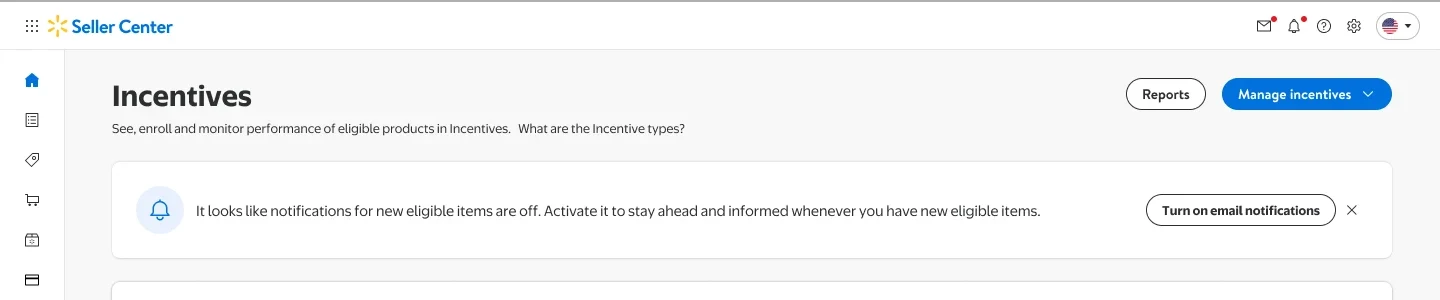
New items become eligible all the time, and a seller with notifications off doesn't hear about them. The first version showed a message that sent the seller to the notification settings, a long page in another part of Seller Center. I proposed turning them on from the message itself: one button, a confirmation, and the seller stays on the page.
Walmart's money, on the statement
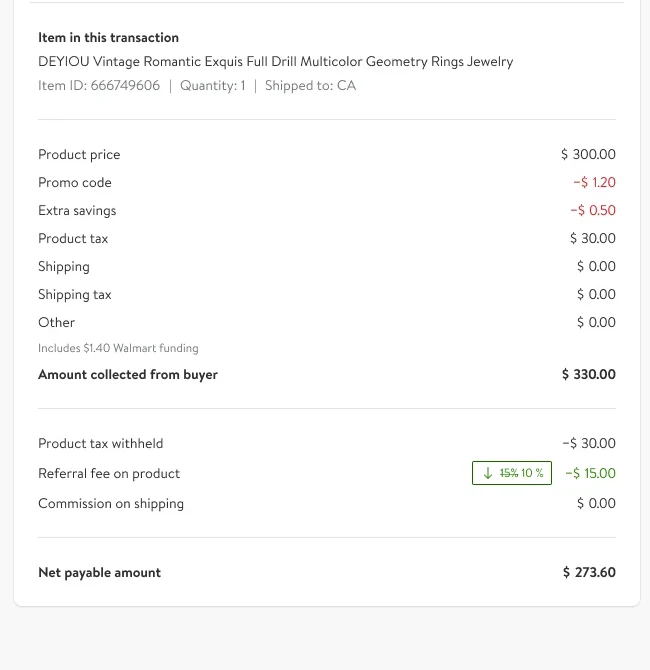
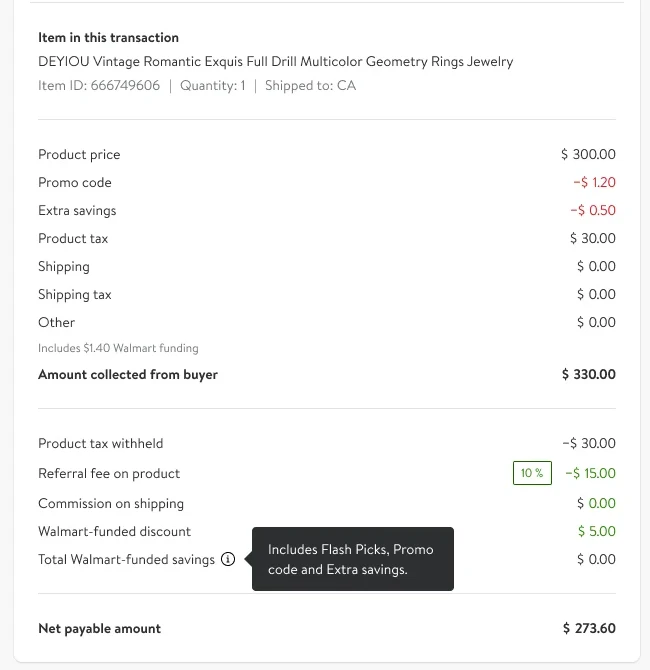
Walmart pays part of the discount, but the sale's statement barely showed it: a small note under Other, and the lower referral fee. I added the lines that show it: the Walmart-funded discount on the sale, and the total Walmart-funded savings, with what they include in a tooltip. The money the program pays is now in the same place the seller checks every payout.
Built to get items enrolled
- What it was built to move
- How many eligible items get enrolled, and how many stay enrolled.
- The figures
- They are Walmart's, and none is claimed here.